what a reverse proxy is (educational): a beginner's guide for infrastructure readers.
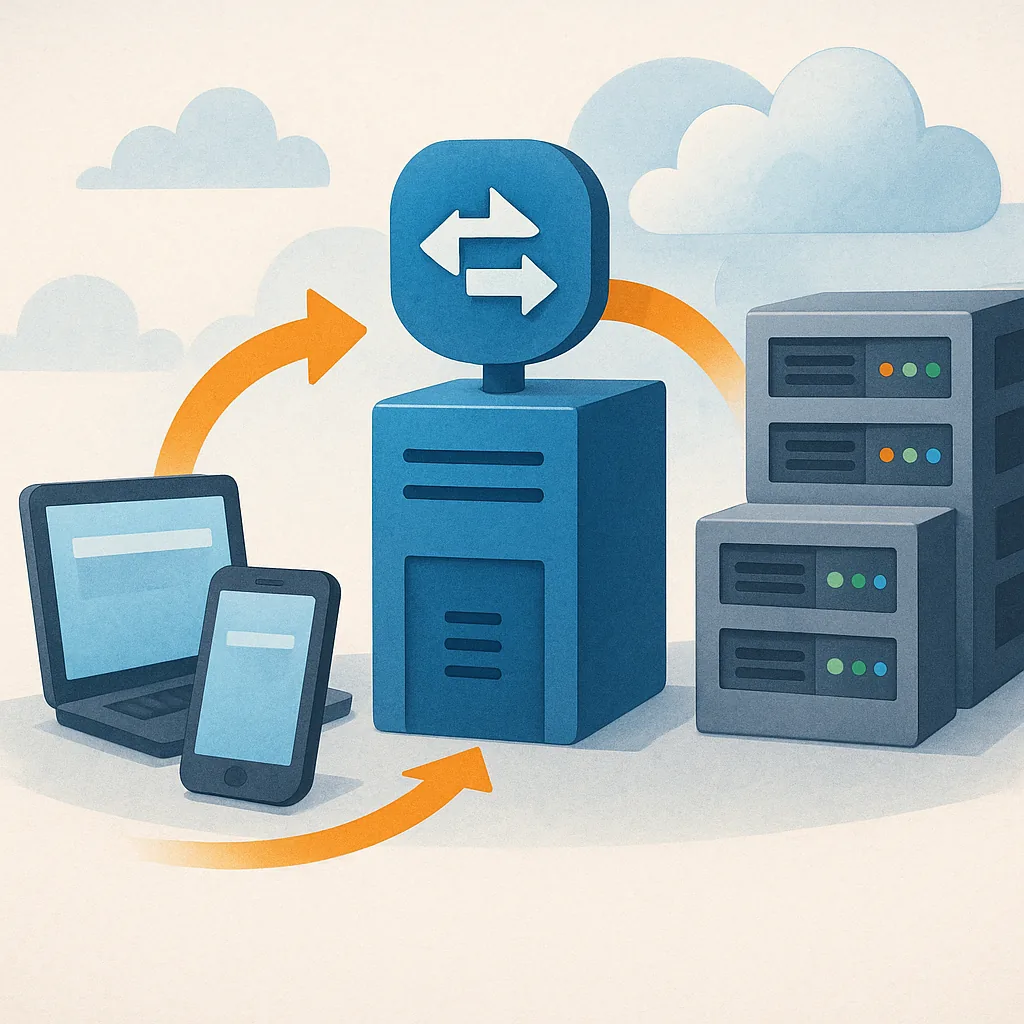
A reverse proxy is a server that sits between client devices and one or more backend servers, accepting incoming requests and forwarding them on behalf of the client. For someone new to infrastructure concepts, the simplest way to picture it is as an intermediary that manages traffic into a web service rather than out from a client. Reverse proxies are common in modern web architecture because they let organisations centralise control over traffic, apply security measures, and present a single public endpoint even when multiple services run behind the scenes. This article explains the core idea in plain language and outlines practical reasons you might use one in a small organisation or on a personal project.
How a reverse proxy works in practice is straightforward once you break it into steps. A client, such as a web browser, sends a request for a website to the public IP or domain name. The DNS records for that domain point to the reverse proxy instead of to the application server that actually hosts the content. The proxy inspects the request and decides which backend server should handle it based on rules you configure, such as URL path, hostname, or load. The backend server processes the request and returns a response to the proxy, which then forwards the response back to the client. To the client, it appears as though the reverse proxy is the server, which is why it can perform additional duties such as caching or TLS termination.
Organisations and hobbyists choose reverse proxies for a range of practical reasons, many of which improve reliability and manageability of services.
- Load balancing to distribute traffic across multiple application servers and prevent a single machine from becoming a bottleneck.
- SSL or TLS termination so the proxy handles certificate management and encrypted connections while backend servers communicate over plain HTTP internally.
- Caching of static responses to reduce backend load and improve perceived speed for repeat requests.
- Request routing and URL rewriting that lets you host multiple services under the same domain without exposing internal ports.
- Basic security filtering such as blocking suspicious requests or rate limiting to reduce the effect of misbehaving clients.
There are other useful benefits that come with a reverse proxy beyond those functions. Centralised logging and monitoring become simpler because all incoming traffic flows through a single point, which helps when you need to audit access or investigate incidents. Blue-green or canary deployments are easier to manage because you can route a portion of traffic to a new backend without changing DNS records or client configurations. In small setups you can also use a reverse proxy to hide internal architecture details, which reduces the attack surface by not exposing internal hostnames or ports to the public internet.
Setting up a reverse proxy for learning purposes can be very approachable, and popular proxy software like Nginx, HAProxy, Caddy or Traefik each offer clear documentation and community examples. At minimum, you will configure the proxy to listen on standard ports such as 80 and 443, define backend servers for routing, and set health checks so the proxy can avoid unhealthy backends. If you are testing on a local machine, consider using self-signed certificates or automated certificate providers for TLS to mimic real-world conditions. Remember that while a reverse proxy can add security layers, it is not a substitute for keeping backend services updated and securely configured.
This guide is intended for learners who want a conceptual foundation before deploying a reverse proxy in a production environment. If you prefer to read other posts about infrastructure fundamentals or follow practical tutorials on related topics, you can find more material on the Infrastructure label on this site by following this link to see what else is available in the same category: Infrastructure posts. Your next steps might be to try a simple local configuration, experiment with routing rules, and add TLS termination so you become comfortable with how the proxy and backends interact in a controlled setting. For more builds and experiments, visit my main RC projects page.
Comments
Post a Comment